DNS records: what A, MX, CNAME and TXT actually do
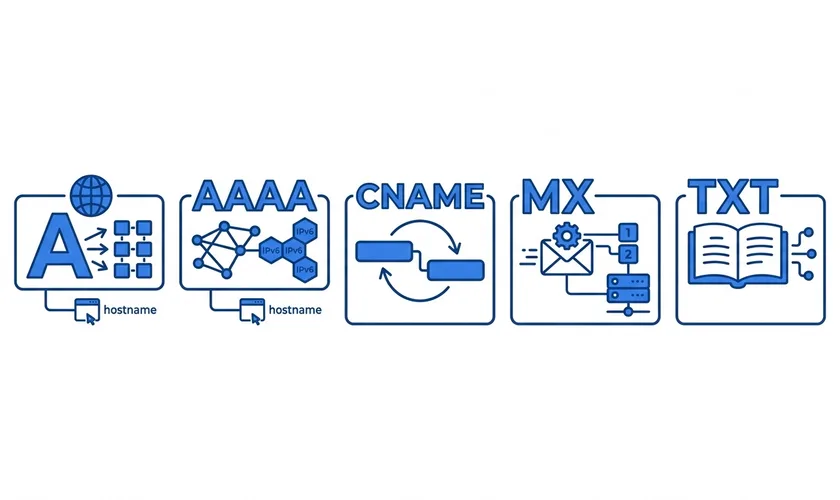
A domain's DNS zone looks intimidating the first time you see it — a table of short codes, addresses and numbers. In practice it's just a short list of instructions, each one answering a specific question a visitor's browser or mail server might ask. Once you know what each type of record is actually for, the whole table reads like plain sentences.
This assumes you already know roughly what a DNS zone is and where it sits — if not, our piece on how nameservers work covers the layer above this one first.
A records: where a name points, in numbers
An A record is the simplest and most fundamental one: it maps a name to an IPv4 address, the numeric address a server actually answers on. When you type a domain into a browser, an A record (or its lookup chain) is usually the last step before a connection actually opens. An AAAA record does the same job for IPv6 addresses — the newer, longer address format — and a domain can have both at once, answering however a visitor's connection prefers.
CNAME records: one name, borrowing another's answer
A CNAME record doesn't point at an address directly — it points at another name, and says "whatever answers for that name, answers for this one too." It's how www.example.com is commonly set up to follow example.com without maintaining two separate addresses, and it's how many third-party services (webmail, a helpdesk, a landing page builder) ask you to point a subdomain at them: they control the address on their end, and your CNAME just says to trust it.
One rule worth knowing: a name that has a CNAME can't have any other record type at the same time — the CNAME's whole job is "look elsewhere for everything," so there's nothing else for it to say alongside that.
MX records: where email actually goes
An MX record tells the world which mail server accepts email for a domain — a website's address and its inbox's address are entirely separate questions, answered by entirely separate record types. A domain can list more than one MX record, each with a priority number; the lowest number is tried first, and the others exist as a fallback if the primary is unreachable. We go deeper on this exact record type, and what it takes to actually receive mail reliably, in our guide to email and MX records.
TXT records: everything that doesn't fit elsewhere
A TXT record holds arbitrary text, and exists because DNS needed a general-purpose place to put information that isn't an address. In practice, TXT records do a lot of quiet, important work:
- Domain ownership verification — proving to a service (Google Search Console, a third-party tool) that you actually control the domain, by asking you to publish a specific value it gave you.
- SPF — a list of which mail servers are allowed to send email claiming to be from your domain, so a receiving server can reject anything that isn't on it.
- DKIM and DMARC — a signature and a policy that together let a receiving mail server confirm a message genuinely came from your domain and wasn't forged in transit.
None of these are visible to a visitor. All of them are why legitimate email from a properly configured domain reaches an inbox instead of a spam folder.
Every record has a TTL — time to live — which is how long other systems are allowed to remember an answer before asking again. A short TTL means changes take effect fast, at the cost of asking more often; a long one is the opposite. It's worth lowering a record's TTL a day before a planned change, and raising it back afterward, so the switch itself takes minutes instead of the TTL's full duration.
Reading a zone, now that you know the pieces
Put together, a typical small business zone might read: an A record pointing the bare domain at a website, a CNAME pointing www at the same place, two MX records for mail with different priorities, and a handful of TXT records quietly proving the domain's identity to Google and to anyone it emails. Nothing exotic — just five or six short, specific answers to five or six specific questions.
Every domain registered with us comes with exactly this kind of editor — plain-language explanations next to each record rather than raw codes to decode by hand. Search for a domain to see it in action.